 +
+Install mixus for Word
Takes under 2 minutes. Choose the option that works best for you.
Install for Mac
One command — automatically sets everything up.
Open Terminal, paste, press Enter
Press Cmd+Space, type "Terminal", press Enter
curl -fsSL https://app.mixus.ai/api/word-plugin/install-mac | bash
Install for Windows
One command — automatically sets everything up.
Open PowerShell, paste, press Enter
Press Win+X and select "Terminal" or "PowerShell"
irm https://app.mixus.ai/api/word-plugin/install-windows-ps1 | iex
Install manually in Word
Download a file and upload it in Word Desktop or Word Online.
Deploy to your whole organization
IT AdminPush to all users from the Microsoft 365 Admin Center.
After installing, close and reopen Word. mixus will appear in the Home ribbon — click it to sign in.
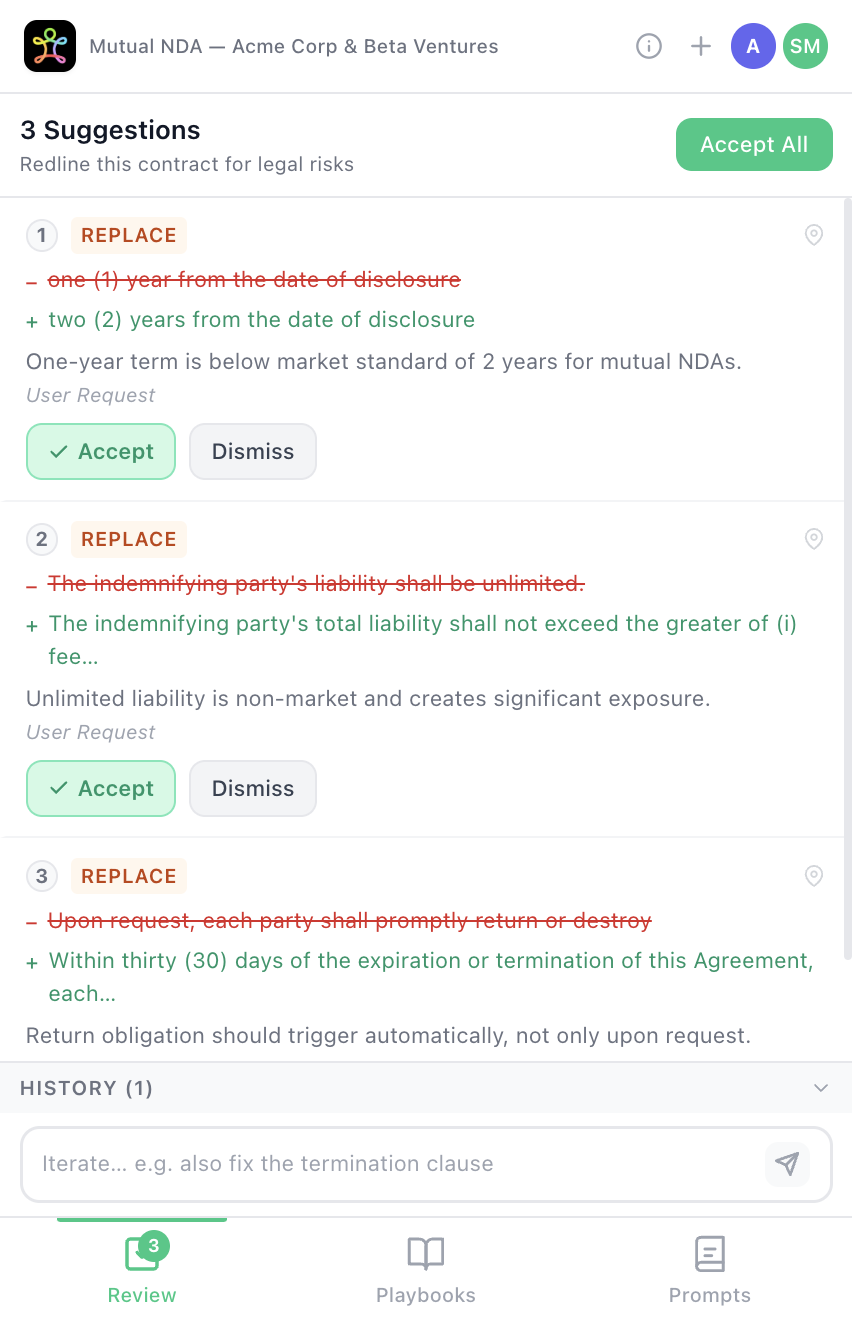
Review & accept AI suggestions one by one
What you'll get
Review & accept AI suggestions one by one